Transparency

Transparency about AI usage in Volog

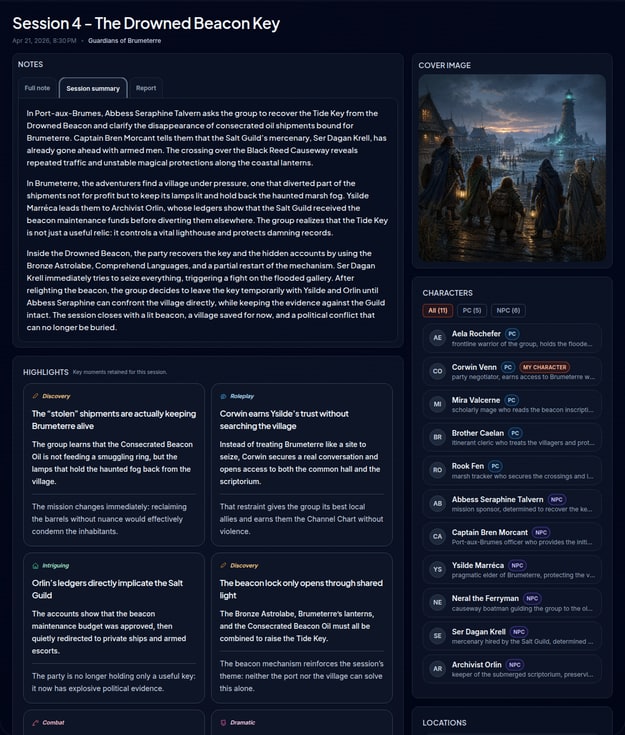
Volog is first and foremost a note-taking, organization, and campaign memory tool. Some features rely on AI-assisted processing, but those uses remain targeted, optional, and limited to specific cases.

This page explains clearly where those processes are used, what they do, what data may be involved, and what they do not do.

Overview

Here is a concise view of where AI-assisted processing may currently be involved in Volog.

Feature Uses AI? Potentially used data Optional? Purpose
Note variants Yes Raw note, useful session or campaign context Yes Rewrite or restructure an existing note
Session summary Yes Raw note, useful session or campaign context Yes Get a shorter, clearer version
Volog Search Yes Asked question, relevant campaign content Yes Find information from the content already present in Volog
Session covers Yes Descriptions, session context, campaign-related information Yes Create an illustration linked to the session
Character avatars Yes Character description, game context Yes Create an illustrated portrait
Mobile scan Yes Handwritten note images sent by the user Yes Extract usable text from a photo
Note from Discord audio Yes Session audio, transcription, campaign context Yes Produce a raw note from an audio session
Manual editing, organization, navigation, sharing, account, billing No Standard application data Not applicable Standard Volog behavior

1. Rewriting and summary

Note variants and summaries start from existing content. In those cases, Volog does not create a session from nothing: it rephrases, reorganizes, or synthesizes what you already produced.

2. Campaign search

Volog Search helps you find information from content already present in your campaign. The goal is to improve access to existing information, not to invent a parallel history.

3. Illustrations

Session covers and avatars are meant to illustrate your content. These images are visual interpretations.

They may simplify, stylize, or miss some details. They do not replace a reference description when precision matters.

4. Mobile scan

Mobile scan is used to turn handwritten notes into usable text. The result should be reviewed, especially when handwriting is dense, quick, or hard to read.

5. Discord audio

Volog can use audio from a Discord session to produce a transcription, then generate a raw note if you ask for it.

The goal is to reduce the burden of note-taking during play, not to replace the players' judgment about what actually happened.

This feature should be used with the clear agreement of the participants.

Technical providers

OpenAI

Some text, search, audio-to-note, and illustration features may rely on the OpenAI API.

Data sent by Volog through the OpenAI API is not used to train or improve OpenAI models.

Azure Document Intelligence

Mobile scan may rely on Azure Document Intelligence to extract text from an image or handwritten note.

Documents and results required for processing may be stored temporarily to allow analysis and result retrieval.

What this does not mean

  • No training does not necessarily mean no temporary technical retention at all.
  • An assisted feature may still produce errors, omissions, or awkward wording.
  • A generated output does not replace human review.

What Volog does not do

  • Volog does not automatically use AI across your whole campaign without an explicit action from you.
  • Volog does not turn a generated output into a higher source of truth than your raw note.
  • Volog does not replace the group's judgment about campaign events.
  • The product's essential functions do not all depend on AI.

Your control

  • You choose when to use an assisted feature.
  • You can correct, ignore, or delete generated results.
  • You can use Volog as a structured note-taking tool without relying on every assisted feature.
  • You remain in control of the content kept in your campaign.

Known limitations

  • A summary may leave out an important detail.
  • A rewrite may lose a useful nuance.
  • A search may connect the wrong item if notes are ambiguous.
  • A transcription may confuse a proper name or a speaker turn.
  • A generated image may look visually coherent while still being inaccurate on some details.

Results should therefore be treated as working aids.