Record an in-person TTRPG game with just a phone
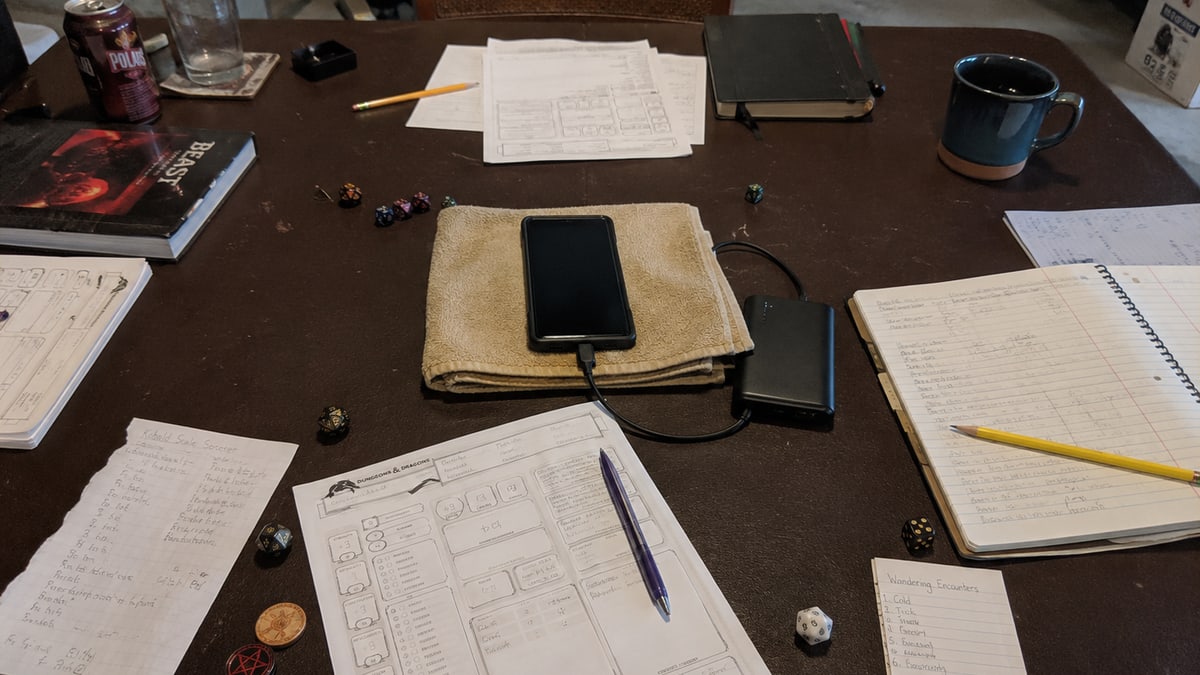
When I play around a table, I do not want to turn the room into a recording studio. I want to put down the phone, start the game, and forget about it as much as possible.
The good news is that the phone you already own is often enough to get started. It will not give the same result in every room, but a few simple choices can make the recording much easier to use later.
Talk to everyone before you record
A recording should never be a surprise. Before the game, explain what you want to do, what the file will be used for, and ask every person at the table for permission.
If someone would rather not be recorded, the simplest answer is not to start. The comfort of the group matters more than the Session summary.
VoLog will also ask you to confirm that everyone was informed and that you have permission before you add the file.
What you actually need
You can use the voice recorder that is already installed on your phone. The important things are much simpler:
- enough battery for the whole game;
- enough free space for a long recording;
- Do Not Disturb mode, to reduce interruptions from calls and notifications;
- a stable place near the middle of the table;
- a charger or power bank if the game may run long.
I also recommend giving the file a simple name as soon as the game ends. The campaign name and date are enough. You will find it much faster when you add it to VoLog.
Find the right place on the table
The phone should be close enough to hear everyone without getting in the way of character sheets, dice, and drinks. The middle of the table is usually a good place to begin.
Keep it away from a speaker, a loud computer fan, and the dice tray. Repeated knocks on the table can cover voices. A folded cloth or a stable stand can reduce vibration, as long as it does not cover the microphone.
If one person is much farther away than everyone else, move the phone slightly toward them. You do not need a perfect setup. You only want to give each voice a fair chance.
Make a thirty-second test
Before the game begins, record a short test. Ask each person to speak at their normal volume, then listen to it through the phone.
This test helps you catch a distant voice, loud background music, or the phone rubbing against another object before the game begins.
Once the game begins, leave the phone in place. Moving it often creates loud handling noise and changes the balance between voices.
Add the audio file to VoLog
After the game:
- open the "Create a Session from an audio file" page;
- choose the file recorded on your phone;
- confirm that everyone knew about the recording;
- choose the campaign and add any helpful names or context;
- start creating the Session.
VoLog accepts MP3, WAV, M4A, WEBM, and OGG files. The audio file can be up to eight hours long and up to 1 GiB.
The limit of one phone on the table
A phone puts every voice into one recording. When two people speak together, or the room has a strong echo, it can be harder to tell who said what.
For a remote Discord game, the VoLog bot is often a better choice because it records each person separately. Around a physical table, a phone is still a simple way to try recording without buying anything new.
Keep a few quick notes during the game if they help you follow a puzzle or a fight. The recording does not need to replace every reminder. Its real value is giving you more time to stay in the scene instead of trying to write down every sentence.
To prepare your next recording with a phone, computer, or voice recorder, follow the guide to recording with your own device.
If your next game is remote and you want to record it from your computer, read the OBS guide for a remote game.